Game review
Typing Show
6 / 10
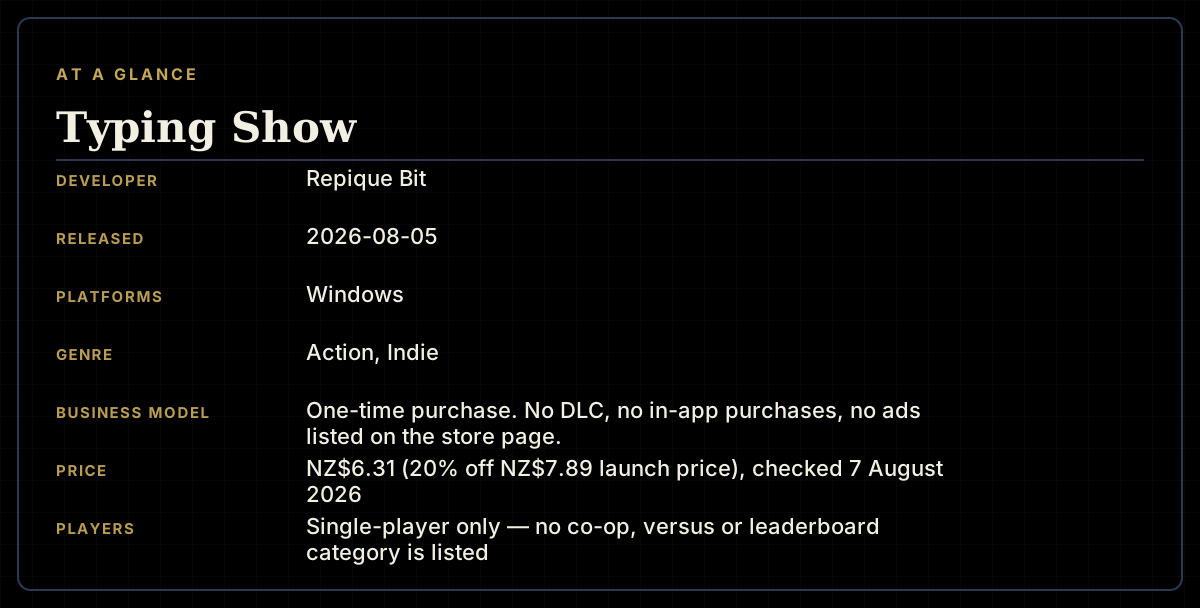
- Developer
- Repique Bit
- Publisher
- Repique Bit
- Released
- 5 August 2026
- Platforms
- Windows
- Genre
- Action, Indie
- Monetisation
- One-time purchase. No DLC, no in-app purchases, no ads listed on the store page.
- Players
- Single-player only — no co-op, versus or leaderboard category is listed
The short version
Typing Show swaps out the one thing every typing game shares — a list of real words — for piano notes. Every note in a procedurally generated 13-to-19-second melody maps to a letter, the melody repeats four times while a falling-key lane tells you what to press, and 42 lessons carry that from a two-letter starting point up to a full 30-letter keyboard. It's a genuinely different answer to a crowded genre's central question. What it doesn't have, two days after release, is anything to check that idea against: no Steam achievements at all, no user reviews, no press coverage, and a concurrent player count of zero at the time this was checked.
Biggest strengths
- The core hook is genuinely distinctive — letters are mapped to piano notes rather than drawn from real words, which no other typing game on Steam appears to do
- A procedural melody generator promises effectively unlimited practice material, and lets a player instantly reroll a melody they don't like rather than being stuck with a fixed track list
- 42 lessons run a real, documented difficulty curve from 2 letters up to the full 30-key range, letting a player start anywhere on that ladder rather than being forced through the whole thing
Biggest weaknesses
- The store page ships with no Steam achievement schema at all, which removes the usual way of checking a new release's own claims against how far players actually get
- Zero Steam user reviews and no press coverage exist to weigh against the developer's own description, and the concurrent player count read zero at the time of checking
- Because every lesson practices letter-to-note sequences rather than real words, it's unclear how directly the skill transfers to typing actual sentences, punctuation or common English digraphs the way word-based or sentence-based typing trainers do
Who it's for: Rhythm-game players curious about a genuinely different hook, and anyone drawn to typing practice through music rather than prose. A weak fit for touch-typing students who specifically want to build speed on real sentences, punctuation and common word patterns, since none of that appears anywhere in the documented lesson structure.
Our recommendation: The free demo removes almost all of the risk here, and at NZ$6.31 the full game is a low-stakes purchase. Try the demo first — there is no external evidence yet, positive or negative, to lean on instead.
6 / 10
Every typing game answers the same design question the same way: it hands you words. Real ones, usually — sentences, code snippets, book excerpts, sometimes nonsense syllables, but always drawn from language. Typing Show's entire pitch is refusing that answer. Its own store page says it plainly: "You don't practice using standard words from your language; instead, you practice using piano notes." Every note in a generated melody becomes a letter, the letter appears in a falling-key lane, and pressing the matching key on a real keyboard is how you play the song. It's a genuinely uncommon idea for a genre that's mostly variations on the same word-list theme, and two days after release it's also one this review has almost nothing external to check it against.
The mechanic: piano notes standing in for words
The structure, per the store page and the linked free demo, works like this. A procedural generator builds a melody 13 to 19 seconds long, capped at 64 notes, purely instrumental and piano-based. Each note corresponds to one or more letters, and — this is the part that actually gives the system depth — the arrangement of letters across the piano keyboard changes from lesson to lesson, so the same melody can be replayed against a different letter mapping without becoming a rote memory exercise. If a generated melody doesn't land, one button click swaps it for another, which the store page frames as effectively unlimited practice material rather than a fixed setlist.
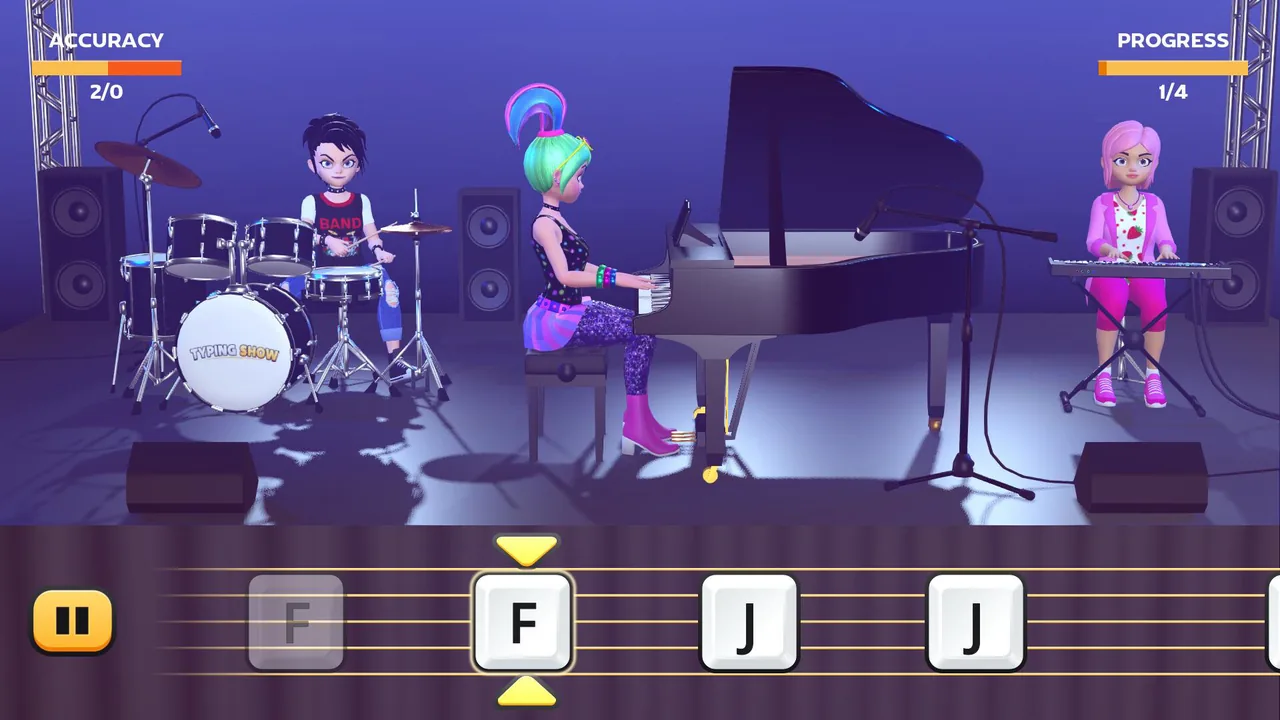
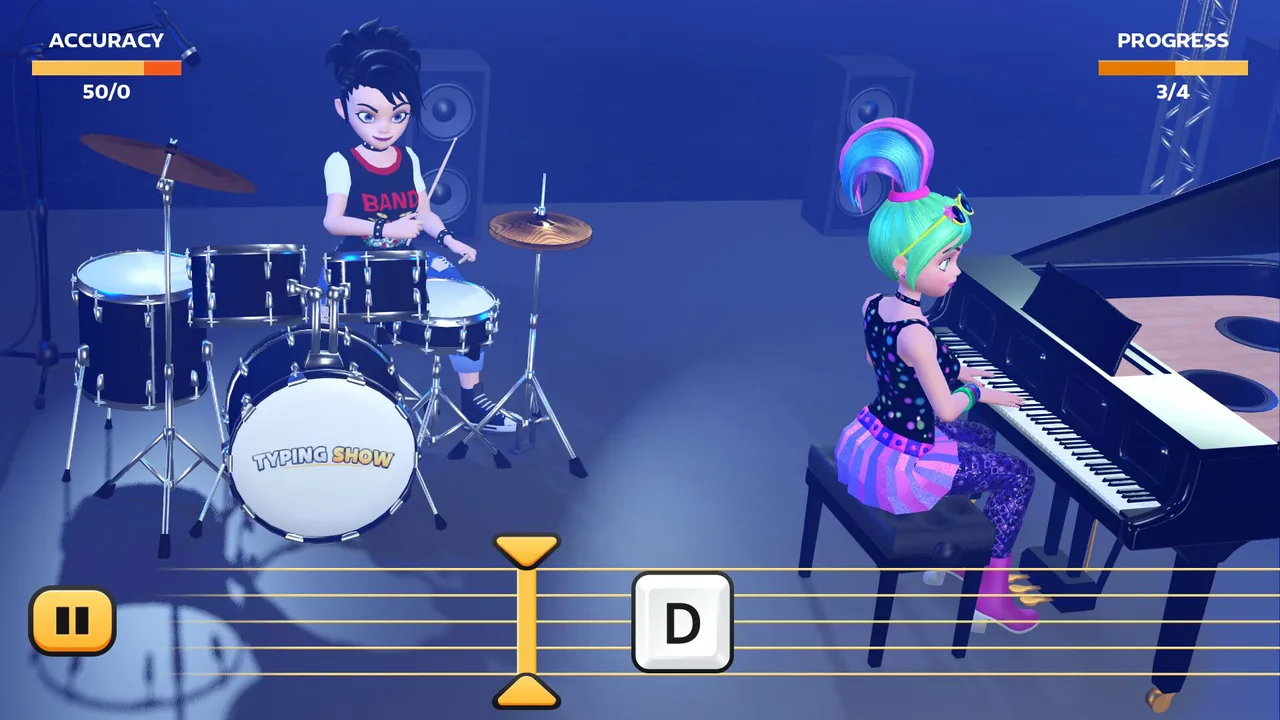
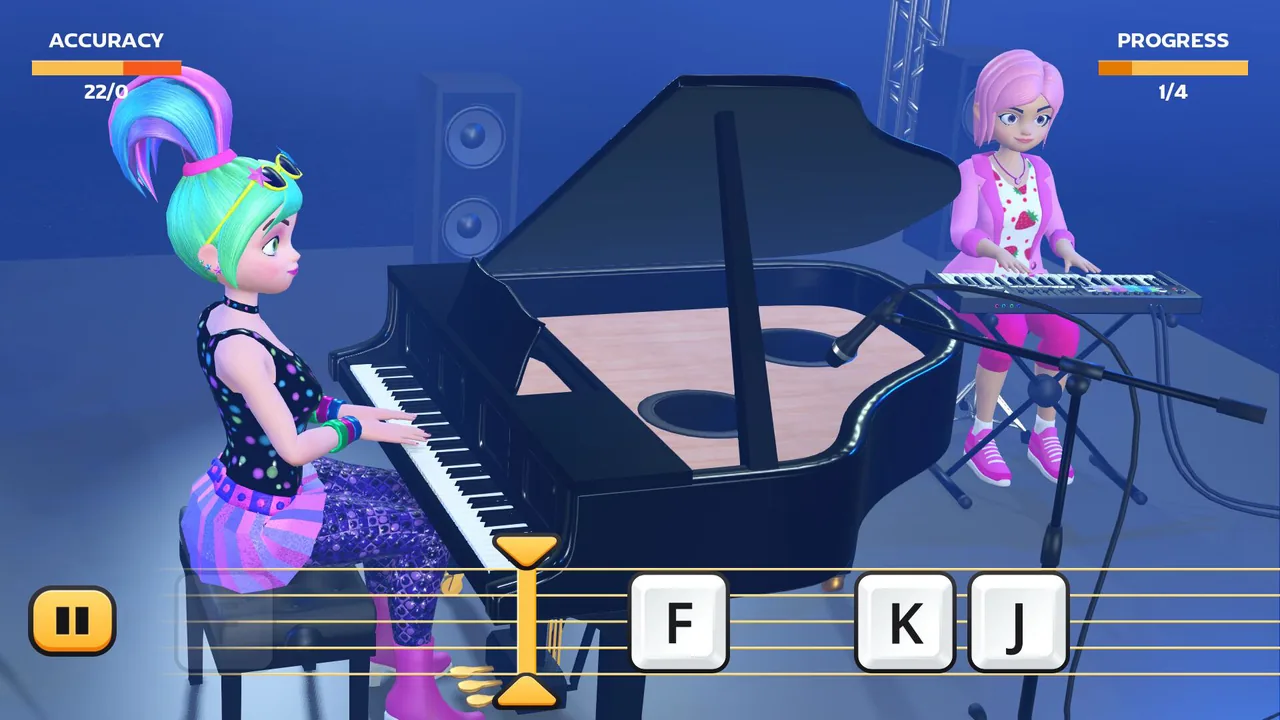
Screenshots from the store page show the actual play screen: a three-piece cartoon band on a small stage — a drummer, a keyboardist off to one side, and a lead pianist at a grand piano front and centre — with a falling-key lane along the bottom of the screen showing upcoming letters as they approach a hit line, alongside an ACCURACY counter and a PROGRESS meter reading out of four. That "out of four" ties back to the store description directly: each melody "repeats four times during the show," so a full pass through one lesson's tune means nailing the same 13-to-19-second phrase four times in a row before moving on. It's a short, tight loop by design, closer to a rhythm-game stage than a sustained typing-drill session.
Forty-two lessons, two letters to thirty
The progression system is the part of this review's brief worth taking most seriously, and it's also the part with the clearest documentation. Typing Show ships 42 typing lessons, starting at 2 letters and climbing to 30 — beyond a standard QWERTY row-and-a-half, into territory that implies punctuation or an extended character set gets folded in by the later lessons. Crucially, the store page states a player can start on any lesson rather than being forced through the ladder in order, which matters for anyone who already touch-types reasonably well and doesn't need the 2-letter tutorial rung. There's also a stated practice mode — "dedicated practice areas to help you get ready" — sitting alongside the main lesson list, which reads as a low-pressure space to learn a new letter mapping before it shows up inside a timed song.
What the documentation doesn't cover is a score-chase layer beyond the session itself. The categories Steam lists for this game are Single-player, Custom Volume Controls and Family Sharing — nothing resembling a leaderboard, a daily challenge or a global ranking. The ACCURACY and PROGRESS meters visible in its own screenshots look like they reset with every attempt rather than feeding into anything persistent. For a rhythm game specifically, that's a real gap: the genre's strongest hooks are usually built on chasing a better score against other players or your own best run, and nothing here confirms that loop exists past a single melody.
What normally answers these questions, and doesn't here
Most new Steam releases this library covers leave some kind of trail — an achievement list to decode for real structure, a handful of user reviews to separate launch complaints from lasting ones, a global achievement-percentage curve to show where players actually stop. Typing Show has none of that available yet. The game's Steam achievement schema comes back completely empty — not sparse, empty — so there's no way to check whether players are finishing lesson 42 or bouncing off lesson 6, the way an achievement curve did for other new indies this week. There are zero user reviews in any language. There's no news post on its feed. And a snapshot check of Steam's concurrent-player endpoint returned zero players at the moment this was checked, which is unremarkable for a two-day-old solo release but does mean there's no live sentiment to read either. The store page itself flags its own newness with a small notice reading "Steam is learning about this game" — standard boilerplate for a fresh listing, not a red flag, but an honest admission from the platform that it doesn't have enough data yet either.
The real open question: does it teach typing, or teach this game
The most interesting tension in Typing Show's design is also the one its own marketing raises and doesn't resolve. The pitch is explicitly educational — "learn to type faster," 42 lessons, a gradual curve, customizable keyboard layouts for different languages — but the practice material is never a real word, sentence or piece of text in any of those languages. It's a letter sequence generated from a piece of procedural music. That's a legitimately clever way to make repetition feel less like drilling and more like playing an instrument, and it's the single best idea in the whole package. Whether it actually builds the same reflexes as typing real prose — muscle memory for common letter pairs, punctuation, capitalization, the rhythm of an actual sentence — isn't something the store page claims either way, and it's not something this review can confirm without the kind of hands-on session the game's own newness doesn't yet have a corpus to support. A strictly note-driven curriculum might build excellent raw key-location speed while skipping everything that makes typing real text different from typing a scale.
Presentation and price
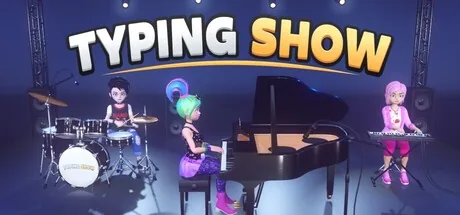
The screenshots show a clean, deliberately cheerful low-poly 3D presentation — a small pastel-lit stage, a punk-styled drummer, a pastel-haired pianist in view-flattering outfits, a "TYPING SHOW" logo stencilled on the bass drum head. It reads as a small, coherent art direction rather than an asset-store grab, appropriate for a game explicitly positioning itself as approachable for newcomers of any skill level. The trailer and screenshots are the only evidence available for how it looks in motion, since no independent footage exists yet.
At NZ$6.31 during a 20% launch discount off a NZ$7.89 base price, with no DLC, no premium currency and no in-app purchases of any kind, this is priced like exactly what it is: a small, single-idea indie experiment. The existence of a same-page free demo, released a day ahead of the full game on 4 August, does more to de-risk the purchase than the price tag alone — anyone curious about whether piano-note typing clicks for them can find out without spending anything first.
Verdict
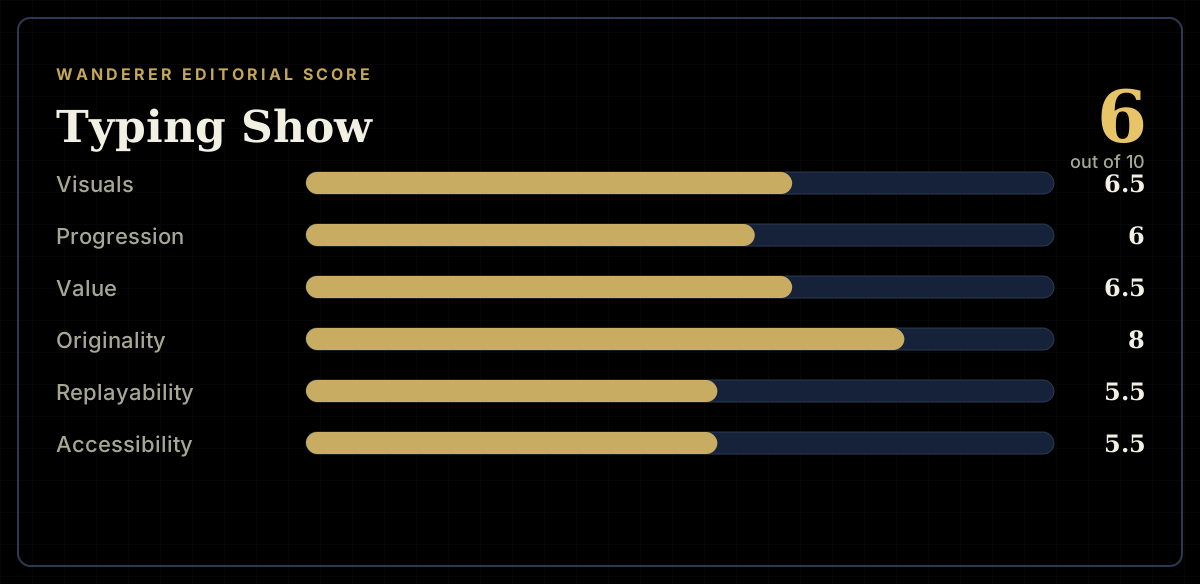
Typing Show earns a 6.0. The core idea — mapping letters to piano notes instead of drawing them from real language — is the most original thing this review has seen in the typing genre, and the documented lesson structure backs it with a real, gradual 2-to-30-letter curve rather than a single flat difficulty. But originality on its own doesn't answer whether the skill transfers to actual typing, and nothing about launch week gives this review a way to check: no achievements, no reviews, no players logged at the moment of checking. The free demo is doing more work here than usual, because it's currently the only way anyone outside the developer can find out whether the idea holds up past its own pitch.
Pros and cons
Pros
- The core hook is genuinely distinctive — letters are mapped to piano notes rather than drawn from real words, which no other typing game on Steam appears to do
- A procedural melody generator promises effectively unlimited practice material, and lets a player instantly reroll a melody they don't like rather than being stuck with a fixed track list
- 42 lessons run a real, documented difficulty curve from 2 letters up to the full 30-key range, letting a player start anywhere on that ladder rather than being forced through the whole thing
- A free demo sits on the same store page under its own appid, so the core loop can be tried before spending anything
- Keyboard layout customization and support for five languages (English, both Latin American and European Spanish, and both Brazilian and European Portuguese) show more localization effort than a solo-developer budget title usually carries
Cons
- The store page ships with no Steam achievement schema at all, which removes the usual way of checking a new release's own claims against how far players actually get
- Zero Steam user reviews and no press coverage exist to weigh against the developer's own description, and the concurrent player count read zero at the time of checking
- Because every lesson practices letter-to-note sequences rather than real words, it's unclear how directly the skill transfers to typing actual sentences, punctuation or common English digraphs the way word-based or sentence-based typing trainers do
- No leaderboard, global score or ranking category is listed on the store page, so the accuracy and progress meters visible in its own screenshots appear to be session-local rather than part of any wider score-chase
- Windows only, with no Mac or Linux build, and no controller-support listing despite a genre where some players prefer one
Screenshots
-
Typing ShowImage: Repique Bit via Steam -
Typing ShowImage: Repique Bit via Steam -
Typing ShowImage: Repique Bit via Steam -
How the review scores each part of the gameWanderer Editorial -
The game at a glanceWanderer Editorial -
The short versionWanderer Editorial