
Game review
Cozy Desktop Konbini
6 / 10
- Developer
- Evrac Studio
- Publisher
- Evrac Studio
- Released
- 18 April 2025
- Platforms
- PC, Mac
- Genre
- Idle Desktop-Companion Shop Sim
Cozy Desktop Konbini is a desktop-companion idle game from Evrac Studio, released on Steam on 18 April 2025, that puts players in charge of a small Japanese-style convenience store living permanently along the bottom of the screen. Animal customers wander in to browse and buy from shelves the player stocks, and idle income is supplemented by research points earned from customer interactions, which unlock new products and decorations to expand the shop. Reviewers consistently place it in the same lineage as Bao Bao's Cozy Laundromat and the broader wave of desktop-overlay idlers, with one reviewer calling it "better in my opinion" than that comparison point specifically because of the added shelf-stocking and research systems.
A genuinely charming, low-pressure shop-keeping loop
The core appeal reviewers describe is straightforward: cute animal customers, a relaxed pace, and enough interactivity to feel rewarding without ever demanding attention. "It's addictive without being demanding, with a delightfully slow pace," one review put it, while another described the appeal in almost identical terms: "you don't need to constantly check-in, but it's always there, quietly ticking along." The stocking system gives players real choice in what to sell and how to arrange it — one reviewer specifically praised "complete freedom to stock each shelf how I want" — and the tutorial is consistently described as teaching just enough to get started while leaving room to discover deeper systems like the title/ranking mechanic on their own.
Lo-fi music as the game's biggest strength
If there's one thing nearly every review agrees on, it's the soundtrack. Reviewers repeatedly single out the lofi music and ambient sound design — rain effects mixed in periodically, tracks on shuffle rather than a tight loop — as the game's standout feature, often ahead of the actual shop-management mechanics. "Absolutely fantastic lo-fi music with the sounds of rain every so often makes for a very relaxing game," read one review; another called it simply "the perfect ambiance." For a game explicitly designed to sit quietly in the background of a workday, that consistency in audio praise matters more than it might for a game meant to be actively played.
Broken achievements with no dev response
The most serious and most consistent complaint concerns nine reportedly broken achievements, several tied to simple "place this item" objectives that don't trigger even when the stated conditions are met. Multiple reviewers say they've reported the issue both through Steam and the in-game bug report system since shortly after launch, and describe trying full save resets with no success. "There have been no updates or response regarding the bugs or the broken achievements," one detailed negative review states, and a separate review dated over a year after launch echoes the same complaint: "there's some bug and achiev broken and there's no news of the dev since the launch." This is a case where the specific, repeated, dated nature of the complaints across multiple independent reviews makes it more credible than a single isolated bug report, even though this review cannot independently verify the current state of the achievements without playing the game.
Placement and interactivity gaps
A second, smaller cluster of complaints concerns the furniture and decoration placement system, which multiple reviewers describe as "janky" when trying to move or delete items after placing them. A related and more specific gap: decorative furniture like rest areas doesn't actually get used by customers. "Whilst you can place down furniture etc, the customers will not interact with them — a bit of a shame if you've set up a rest area for them to use," one reviewer noted, hoping for a future update to add that interactivity. Neither issue is described as severe enough to sour the overall experience for most reviewers, but both point to systems that were shipped less finished than the core stocking loop and lo-fi presentation around them.
Light on resources, light on the wallet
At its low asking price, several reviewers frame Cozy Desktop Konbini as an easy value proposition even before weighing the achievement bugs. One reviewer specifically called out that it "takes less resources" than expected for something meant to run continuously in the background, which matters for a game designed to be left open for hours at a time rather than played in dedicated sessions. Small quality-of-life touches get mentioned too, like a button that moves the whole overlay to a second monitor, letting it sit out of the way of a primary workspace. A couple of reviewers note stability hiccups they attribute to Windows 11 specifically, alongside the broader achievement bugs, so results may vary somewhat by system even if the core loop itself is consistently described as stable. Against the wider field of desktop-companion idlers, its added research-and-stocking layer gives it a bit more mechanical depth than a pure ambient pet-watching toy, without asking for anywhere near the commitment of a full incremental RPG.
Verdict
Cozy Desktop Konbini succeeds as exactly what it promises: a gentle, good-looking, genuinely soothing desktop companion with an outstanding soundtrack and a stocking-and-research loop that gives players just enough to do without ever demanding real attention. Its Mostly Positive reception is well-earned on atmosphere alone. Where it falls short is post-launch support — nine broken achievements reported since shortly after release with, according to multiple reviewers, no acknowledgement from the developer, plus rough edges in furniture placement and customer interactivity. At its low price it's still an easy recommendation for anyone who wants a quiet, cute idler running in the corner of their screen, provided achievement completion isn't a priority.
Screenshots
-
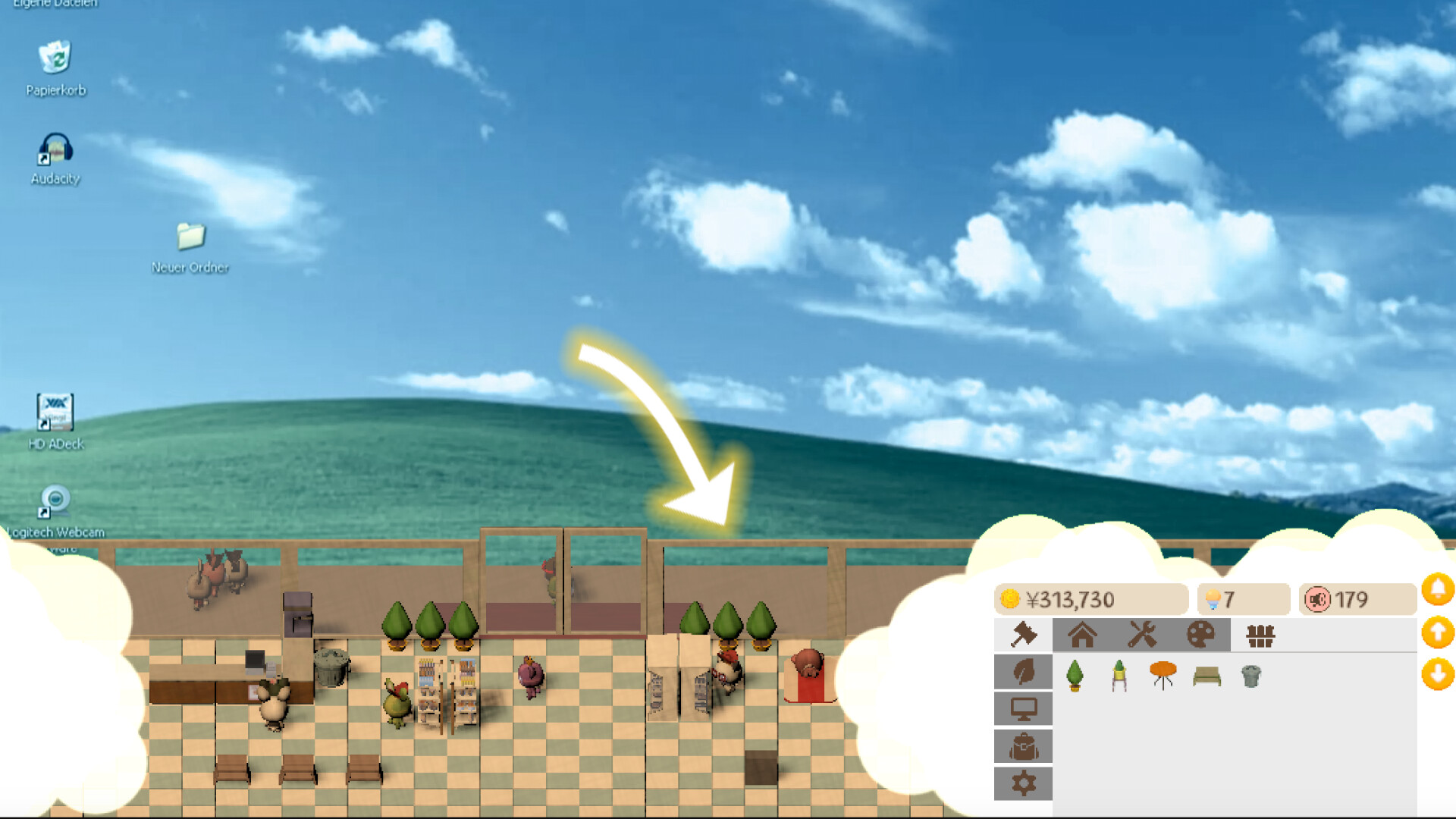
Like other desktop-companion idlers, the shop runs as a persistent strip along the screen's edge rather than in its own window.Image: Evrac Studio via Steam -
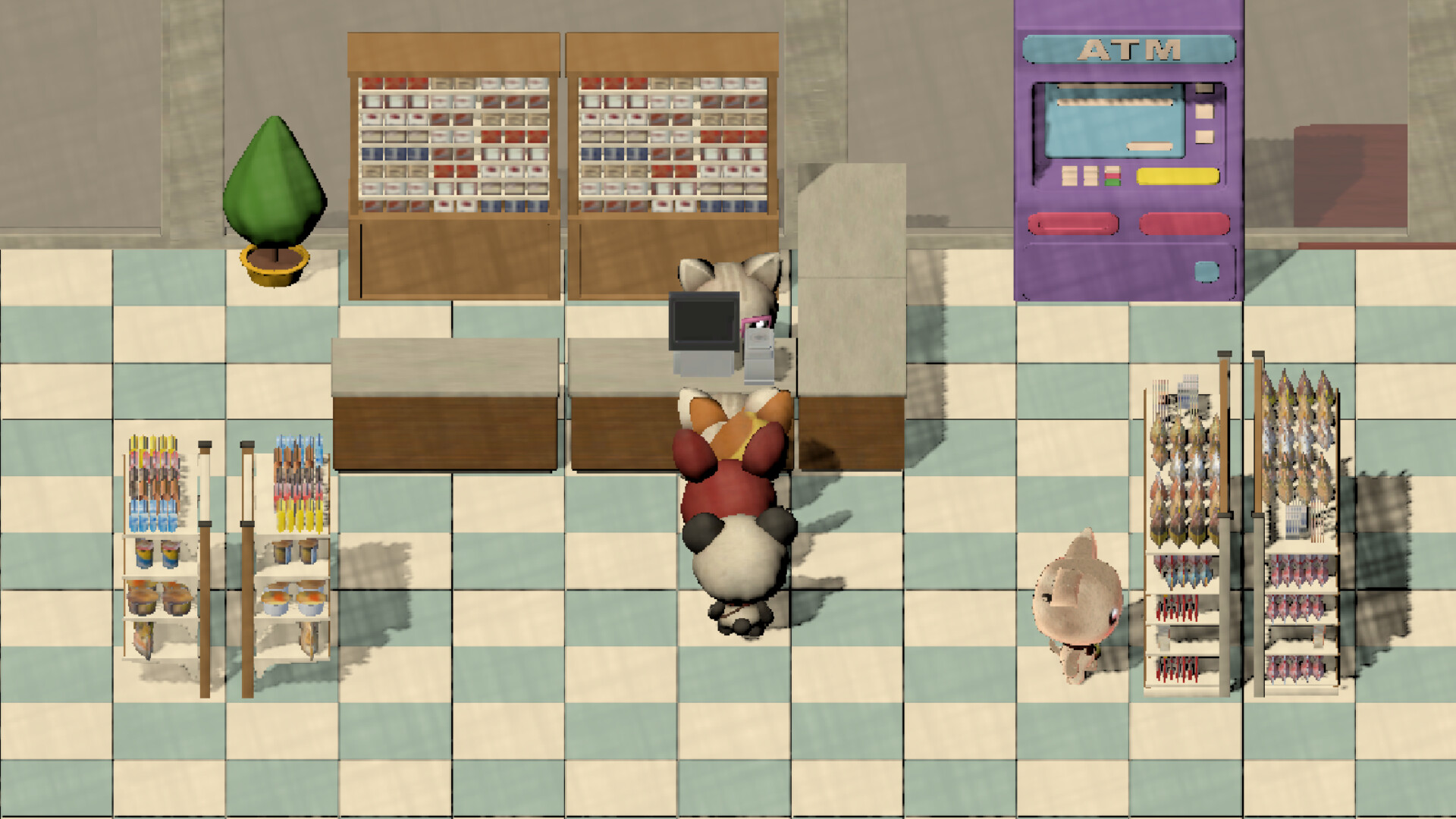
Shelves can be stocked with different product categories, and an ATM and other fixtures can be placed for additional decoration.Image: Evrac Studio via Steam -
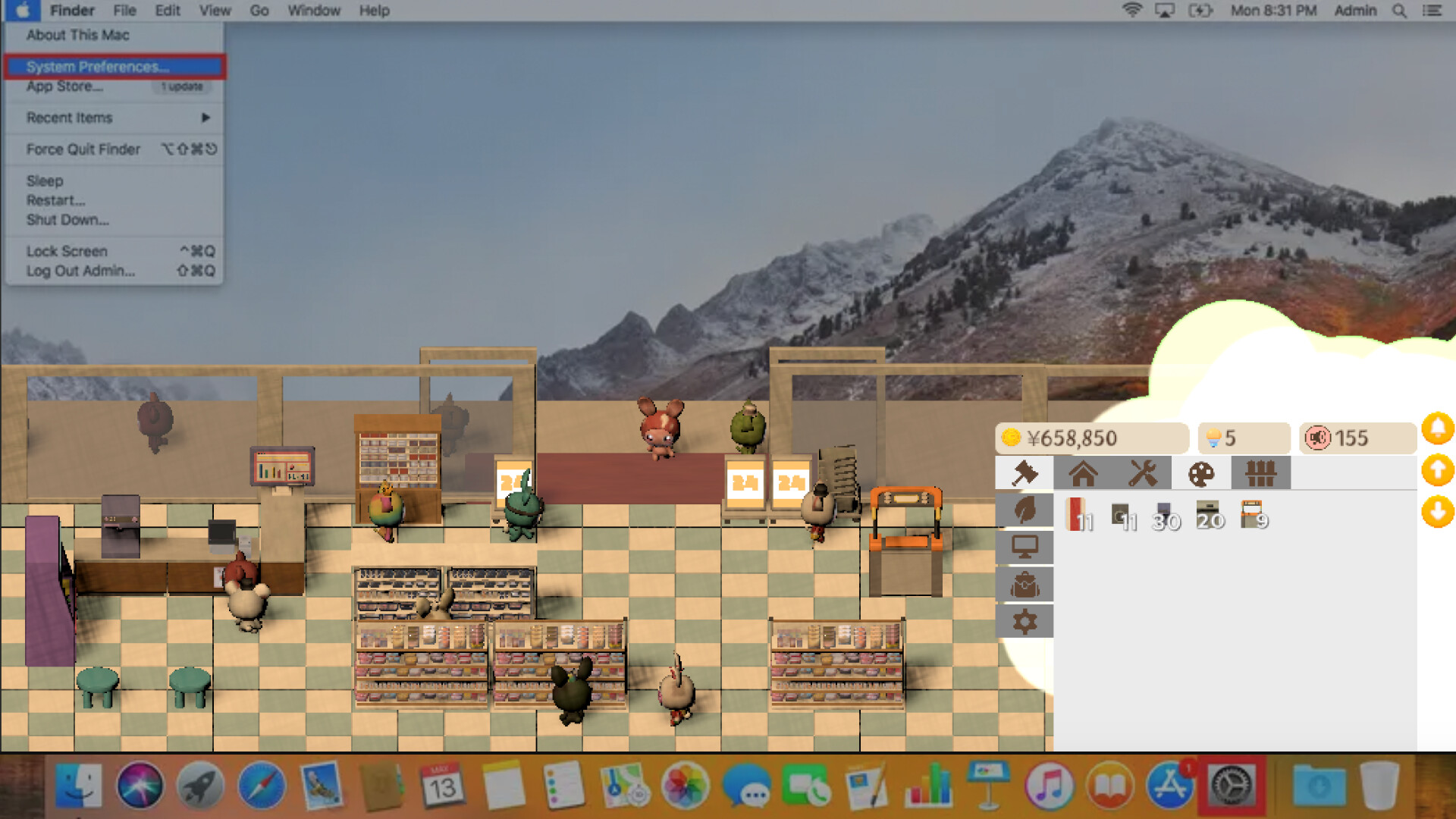
The game also runs on macOS, shown here overlaying a Mac menu bar and dock rather than a Windows taskbar.Image: Evrac Studio via Steam