
Game review
Still Open: Taskbar Cafe Idle
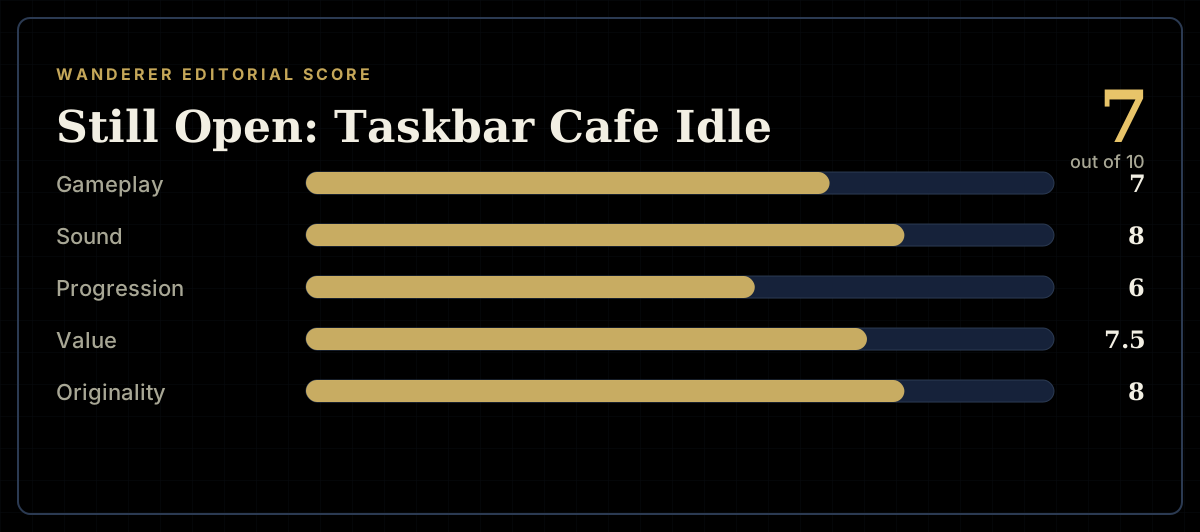
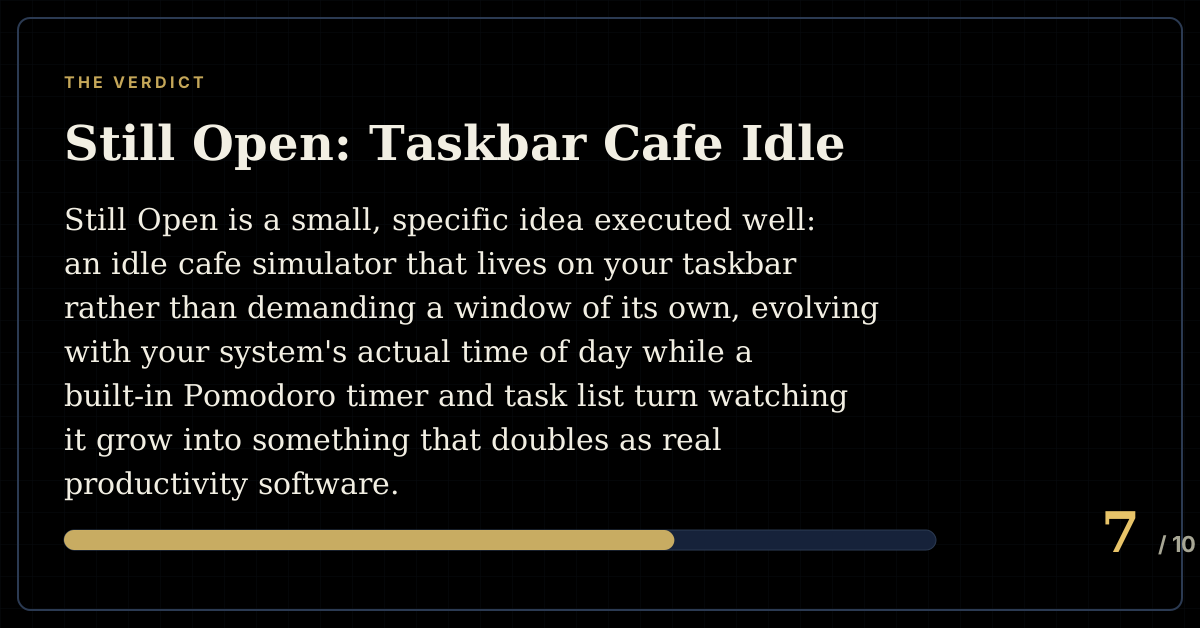
7 / 10
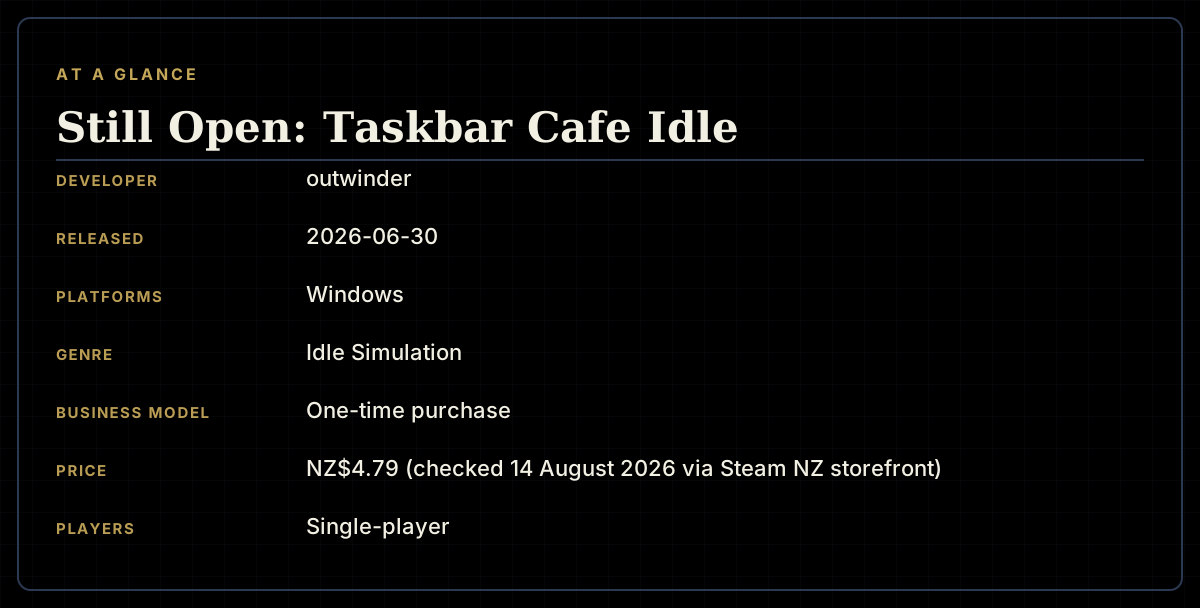
- Developer
- outwinder
- Publisher
- outwinder
- Released
- 30 June 2026
- Platforms
- Windows
- Genre
- Idle Simulation
- Monetisation
- One-time purchase
- Players
- Single-player
The short version
Still Open is a small, specific idea executed well: an idle cafe simulator that lives on your taskbar rather than demanding a window of its own, evolving with your system's actual time of day while a built-in Pomodoro timer and task list turn watching it grow into something that doubles as real productivity software. Every review currently on the store page recommends it, and the playtimes behind those reviews — several well past the 20-hour mark for a NZ$4.79 game — suggest it's genuinely sticking with the people who try it.
The rough edges are minor but real. The automated tutorial reportedly can't be replayed once missed, a couple of features several reviewers feel belong in the base experience (extra camera angles, control over the day/night cycle) sit behind upgrade costs instead, and the window-resize control is easy to overlook. None of that undoes what reviewers keep coming back to unprompted: genuinely lovely ambient sound design, a hands-off pace that respects players who just want something calm running in the background, and a developer reportedly quick to help when things go wrong.
Biggest strengths
- A genuinely distinctive taskbar-embedded idle cafe that doubles as a real productivity tool, with a built-in Pomodoro timer and task list
- Warmly praised ambient jazz and background sound design that multiple reviewers single out unprompted
- Over 60 visible upgrades that meaningfully transform the cafe over time, from a bare counter to a full spot
Biggest weaknesses
- The automated tutorial reportedly can't be replayed once dismissed, and resetting the game doesn't relaunch it
- Extra camera angles and control over the day/night cycle are locked behind upgrade costs several reviewers feel should be included from the start
- The window-resize control is reportedly small and easy to miss, with no automatic prompt to find it
Who it's for: Anyone who works or studies at a computer and wants ambient, low-demand company rather than an anime companion character — and idle-game fans drawn to a genuinely novel taskbar-native format. Less for anyone who wants deep, active management or a lot of up-front customisation.
Our recommendation: An easy, cheap recommendation at NZ$4.79 for anyone who wants a calm, productive companion running quietly in the background — just expect a couple of features gated behind upgrades that arguably shouldn't be.
7 / 10
There's a small but real genre of software that exists to sit quietly on your desktop while you work — companion characters, ambient timers, digital pets. Still Open picks a distinctive corner of that genre: a cafe, living on your taskbar, that opens and closes and lights up according to your computer's actual clock, earning money from passing customers while you do something else entirely. It's a solo developer's release at NZ$4.79, and every review on its store page so far recommends it.
A cafe that lives on your taskbar
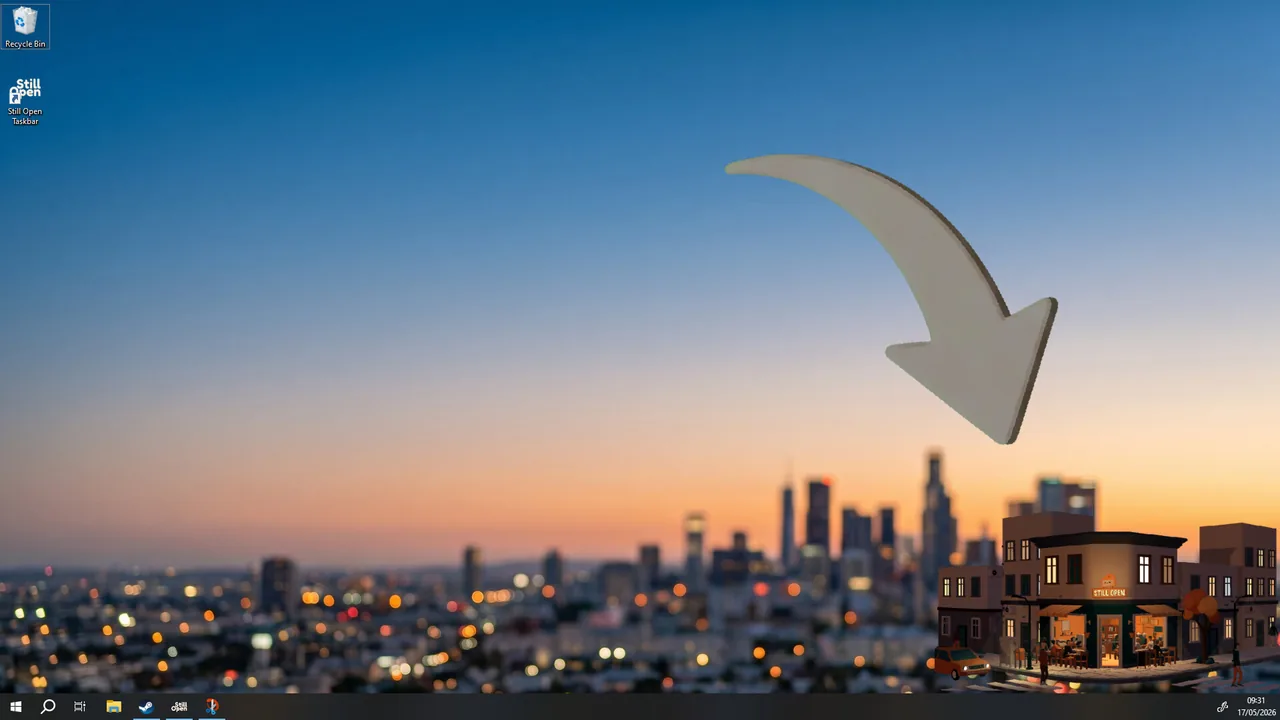
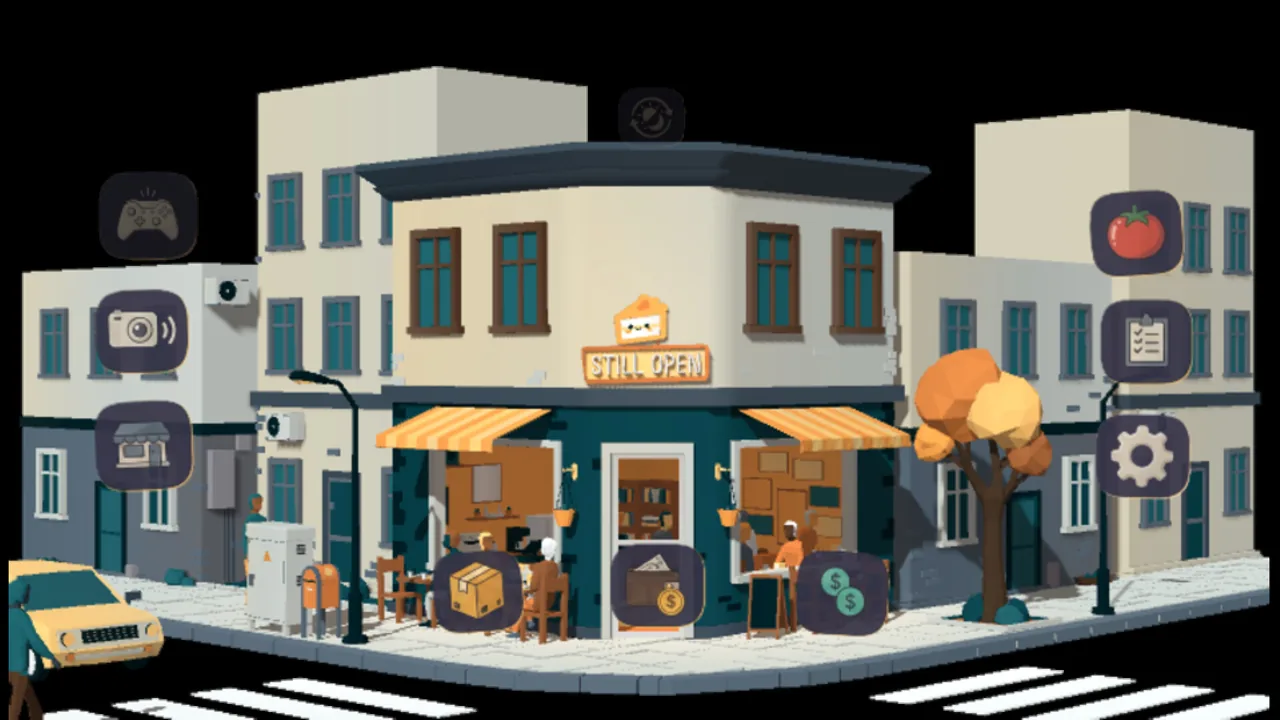
The pitch is unusually specific about what it's for: "How About Running a Cafe While You Work?" Rather than a separate application competing for attention, Still Open sits in the taskbar and changes its appearance in real time — "from the first light of morning to the dim glow of midnight" — while a built-in Pomodoro timer and project-tracking list mean the game can genuinely double as the productivity software sitting next to it, not just a distraction from it. One reviewer working from home puts the appeal plainly: it's "more of a passerby/third person view style, rather than a companion buddy style like other famous ones with a girl studying with you" — a deliberate, specific alternative to the anime-companion desktop apps that dominate this space, for players who want ambient company without a character attached to it.
What reviewers keep coming back for
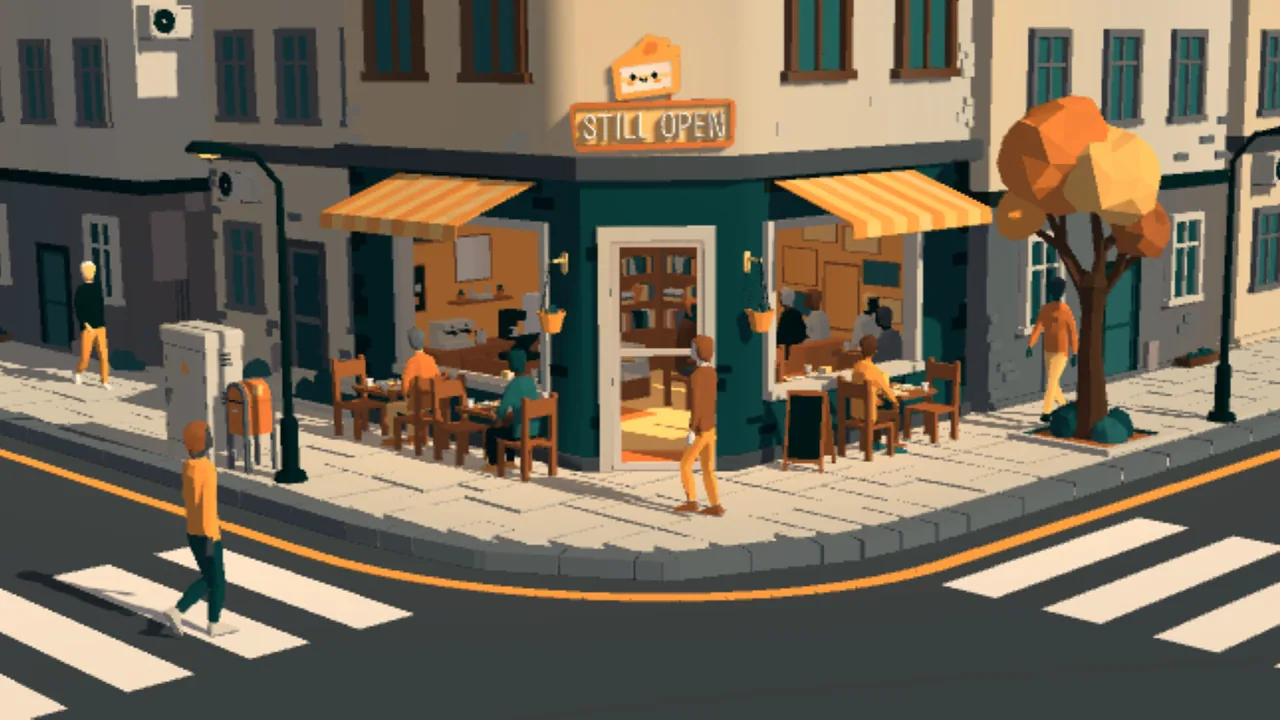
The sound design is the single most consistently praised element across every review. "The cooll jazz playing in the background is AMAZING! So laid back and soothing, but also something sassy about it," reads one. Another describes it playing "wonderful chill and soothing music" alongside ambient sounds of "passing cars and clattering cups." Beyond atmosphere, the progression is reportedly substantial for the price — over 60 upgrades that visibly transform a bare counter into a full cafe with more seating, decorations and customers, plus twelve optional minigames that trigger periodically for a bit of light interaction. Playtimes behind the reviews back up the impression that this isn't a five-minute novelty: several reviewers are well past the 20-hour mark, one past 110 hours, for a game that costs under five dollars.
The rough edges of a hands-off idler
The complaints are consistent and modest. The built-in tutorial plays automatically on first launch, which is a problem for anyone who steps away at that exact moment — "I was AFK upon launch" — and resetting the game in settings doesn't bring the tutorial back. A more substantive critique concerns what's gated behind the upgrade system: extra camera angles beyond the two starting views, and control over the day/night cycle, both cost meaningful in-game currency to unlock, and more than one reviewer feels those specific features should have been available from the start rather than paced behind progression. The window-resize control is reportedly small and easy to miss unless a player already knows where to look. None of these are severe, but for a game whose whole appeal is frictionless ambience, small friction points like these stand out more than they would elsewhere.
Final verdict
Still Open finds a genuinely underserved niche — an idle cafe built to run on your taskbar rather than compete for your screen, with real productivity tools built directly into the loop — and executes the atmosphere part especially well, judging by how consistently reviewers single out its sound design unprompted. A tutorial that can't be replayed, a couple of upgrade-gated features that feel like they should be free, and a fiddly resize control are worth knowing about, but at NZ$4.79 with a 100% positive early record and genuinely high playtimes behind it, this is an easy, low-risk pickup for anyone who wants calm company while they work.
Pros and cons
Pros
- A genuinely distinctive taskbar-embedded idle cafe that doubles as a real productivity tool, with a built-in Pomodoro timer and task list
- Warmly praised ambient jazz and background sound design that multiple reviewers single out unprompted
- Over 60 visible upgrades that meaningfully transform the cafe over time, from a bare counter to a full spot
- Twelve optional minigames add light interactive breaks without demanding constant attention
- A minimal system footprint and non-intrusive design that reviewers say disappears into their workflow
Cons
- The automated tutorial reportedly can't be replayed once dismissed, and resetting the game doesn't relaunch it
- Extra camera angles and control over the day/night cycle are locked behind upgrade costs several reviewers feel should be included from the start
- The window-resize control is reportedly small and easy to miss, with no automatic prompt to find it
- No achievement system exists yet at all
- A very small early review sample (5 total) for a title only a couple of months old
Screenshots
-
Still Open: Taskbar Cafe IdleImage: outwinder via Steam -
Still Open: Taskbar Cafe IdleImage: outwinder via Steam -
Still Open: Taskbar Cafe IdleImage: outwinder via Steam -
How the review scores each part of the gameWanderer Editorial -
The essentials at a glanceWanderer Editorial -
The short versionWanderer Editorial